

 Loading...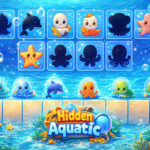











Hidden Aquatic is a calm browser puzzle about placing sea creatures in the right positions on an underwater board. Each scene asks you to look closely at the shapes and spaces available, then drag an item carefully to the place that makes the layout fit together. It is a relaxed visual challenge built around observation, patience, and small decisions rather than speed.
How Hidden Aquatic works
The central idea is simple: observe the board, compare the creatures and open positions, and use drag-and-drop to test a placement. The challenge comes from the details. As a layout becomes busier, it helps to slow down, distinguish similar silhouettes, and avoid treating every empty space as the first possible answer. The game is a good choice when you prefer a focused visual puzzle to a fast action round.
Each successful placement changes the board. That is why the first move matters: an obvious match can make the remaining choices easier to read, while an uncertain move may hide useful clues. Instead of guessing rapidly, use the board as a picture you can simplify piece by piece.
Start with the whole board
Let the player above load fully, then look at every visible creature before making the first move. The current game supports mouse play, and the live interface provides the most reliable prompt for its version. Rather than immediately dragging the first item you recognise, find a placement that has a clear match in size, outline, colour, or available space.
- Scan before dragging: take a few seconds to compare the entire board.
- Use obvious matches first: begin with the creature or space that is easiest to identify.
- Work from distinctive details: look for a unique outline, colour, or larger shape.
- Pause after each placement: see which possibilities have become clearer before making another move.
A relaxed puzzle strategy
When several creatures look similar, choose one feature that separates them. It might be a larger silhouette, a particular colour, the direction of the shape, or the outline of an empty area. Looking for one distinctive feature is easier than trying to compare every detail at once. If a move does not fit, treat it as information and try another position without rushing.
This turns every level into a small observation exercise. You are not expected to solve the entire layout in one glance. The useful habit is to identify one reliable match, place it carefully, and look again. As the board becomes less crowded, the remaining spaces often reveal their own clues.
Make drag-and-drop more precise
Use the mouse slowly enough to keep the item and destination in view. If an object is near another similar shape, take an extra moment to confirm the target before releasing it. Accuracy is more helpful than a fast sequence of guesses. The player on this page shows the active layout, so allow its current prompts and feedback to guide the rhythm of your moves.
It can help to think in pairs. Find one creature and one location that clearly belong together, then move on to the next pair. This limits the number of choices you are considering at any one time. A board that first looked complicated becomes manageable when you solve it in these small, visible steps.
What to do when the board feels crowded
Busy layouts are easiest to approach from the edges or from the largest spaces. Look for a creature with a boundary that makes it hard to confuse with the others. Once it is placed, reassess the board rather than continuing with the first plan you had. A new gap or outline may now be obvious.
If you are unsure, do not force the move. Re-scan the board and compare the few remaining candidates. This is still progress: narrowing a choice from five spaces to two means you have read the layout more carefully. A calm puzzle rewards attention, and a brief pause is often the fastest way to find the correct match.
A simple routine for a short session
For a quick round, start by finding one obvious match. After placing it, choose the next item only when you can explain why its position makes sense. If a puzzle takes longer than expected, focus on reducing uncertainty rather than trying to finish immediately. You might identify which two spaces are possible or which creature does not fit in a certain area. Small observations lead to clearer moves.
For a longer session, set a modest goal such as completing a board without hurried drags or improving how quickly you identify the first two matches. This keeps the game enjoyable because progress comes from clearer observation, not from pressure to solve every layout perfectly.
Browser play and loading tips
Hidden Aquatic plays in the embedded browser player on this page. If it does not appear, refresh once, use a current browser, and temporarily pause an extension that blocks embedded content for this site. No download or extra software is required; interact only with the game shown here. Avoid files or extensions that promise extra features or shortcuts for browser games.
For a comfortable experience, leave enough space for the board and avoid keeping many demanding tabs open. If the player seems inconsistent, refresh before changing unrelated browser settings. Check the on-screen instructions before assuming a fixed control scheme.
More games to explore
Hidden Aquatic is included in New Games and Simulation Games. You can also browse the complete game collection for another browser puzzle. Start with the clearest match, make one careful placement, and let the remaining board reveal its next clue.
Frequently Asked Questions
What is Hidden Aquatic about?
Hidden Aquatic is a calm browser puzzle about placing sea creatures in the right positions on an underwater board. The game frame above contains the current playable version and may change when the provider updates it.
How do you control Hidden Aquatic?
Each successful placement changes the board. That is why the first move matters: an obvious match can make the remaining choices easier to read, while an uncertain move may hide useful clues. Use the inputs shown by the live game, because controls can vary by device and provider version.
Does Hidden Aquatic work on mobile?
If the current provider build exposes touch support, it can be tried in a mobile browser. Otherwise use a desktop browser and the controls shown by the frame; performance and orientation can vary by device.
Use mouse to play