

 Loading...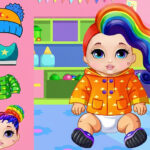











Doll Dress up Game: build a look one choice at a time
Doll Dress up Game is centred on customisation rather than a race against a timer. The tested opening provides a Play entry, left and right arrows, a Home button, and a sequence of outfit choices. That interface makes the purpose easy to understand: enter the dress-up activity, move through the available options, and compare the look that appears on screen. The pleasure comes from selection and combination, so the game can be approached at a relaxed pace instead of demanding rapid reactions from the first second.
The opening layout also gives the player a clear navigation model. Play begins the activity, arrows move between choices, and Home returns to the starting point. These elements are more useful than a long list of unverified fashion categories because they describe what a visitor can actually do in the frame. If the live game presents additional visual choices after an arrow press, explore them one by one and watch how the doll changes before selecting another direction.
Start with a simple theme
A good first session begins with a small idea for the final look. You might choose a colour family, a casual outfit, or a style that contrasts with the background. Having a theme makes the arrow navigation purposeful: each new item can be judged against the look already being built. It also helps avoid clicking through every option without remembering what changed. Dress-up games are most satisfying when the player notices the difference between two close choices and makes a deliberate decision.
Use click or touch on Play and on the visible navigation arrows. On a desktop, the pointer makes it easy to select one side and then pause to inspect the result. On a touch device, a controlled tap prevents accidental double changes. Home is useful when you want to restart the comparison from the opening arrangement. Return there after finishing a look, then try a different direction or a different theme. This creates several short creative sessions without requiring a page reload.
Compare before committing
When two outfit choices appear similar, compare them against the rest of the composition rather than in isolation. Look at the silhouette, the colour balance, and the way the selected item changes the overall impression. The game’s value is visual, so the most useful feedback is the picture on the screen. A choice that seems exciting by itself may compete with another part of the outfit, while a quieter item may create a more coherent result. Move back with the arrow and test the alternative if you are unsure.
The Home control gives Doll Dress up Game an uncomplicated reset loop. It can be used after a completed look or whenever the current sequence no longer matches the idea you had in mind. A reset is not a failure here; it is part of the creative process. Start again, try a different order, and notice whether an earlier choice changes the way a later option works. This is a gentle form of experimentation that keeps the player involved without turning customisation into a checklist.
Why the compact design works
The visible controls keep the experience accessible. A newcomer does not need to learn a complicated menu before trying the first outfit, and a returning player can move quickly to the choice they want. The arrows also encourage exploration because every press reveals another possibility. Take time to let the interface settle; the most useful choice may be the one that becomes clear after the previous item is removed. The game invites comparison, and comparison is easier when each action has a visible result.
Doll Dress up Game is a simple browser customisation activity with a clear creative centre. Click or tap Play, use the left and right arrows to browse, and use Home when you want a clean starting point. Build a look around an idea, compare the visible result, and do not be afraid to return and try a new combination. The page describes the controls and the tested opening without inventing hidden wardrobes or scoring systems, leaving the actual style choices for the player to discover.
Practical notes for a return visit
The sequence of outfit choices makes Doll Dress up Game easy to explore in small stages. Start with one prominent item, compare the next option, and decide whether the new choice improves the look or changes its direction. Because the interface includes arrows, you can move back when a later choice makes an earlier one feel less suitable. This encourages experimentation without pressure and lets the player discover a preferred combination through direct visual feedback.
A customisation game does not need a winner to create a satisfying goal. The goal can be a colour balance, a seasonal style, or simply a combination that feels different from the last one. Use Home to begin another idea once the current look is complete. The tested navigation keeps that process simple: click or tap Play, browse left and right, and return when you want a clean canvas for the next attempt.
The best way to evaluate a choice is to look at the complete doll rather than a single accessory. Consider how the item fits with the other visible selections and whether the overall silhouette remains clear. This kind of comparison is the core activity, so there is no advantage in rushing through the arrows. Doll Dress up Game gives the player a quiet creative space in the browser, with controls that are easy to understand and a result that appears immediately.
More New Games
Browse the New Games collection or continue with HIll climb Racings 2 and Bus Driver Simulator 3D.
Frequently Asked Questions
What is Doll Dress up Game about?
Doll Dress up Game is centred on customisation rather than a race against a timer. The tested opening provides a Play entry, left and right arrows, a Home button, and a sequence of outfit choices. The game frame above contains the current playable version and may change when the provider updates it.
How do you control Doll Dress up Game?
Doll Dress up Game is centred on customisation rather than a race against a timer. The tested opening provides a Play entry, left and right arrows, a Home button, and a sequence of outfit choices. Use the inputs shown by the live game, because controls can vary by device and provider version.
Does Doll Dress up Game work on mobile?
If the current provider build exposes touch support, it can be tried in a mobile browser. Otherwise use a desktop browser and the controls shown by the frame; performance and orientation can vary by device.
Mouse click or tap to play