

 Loading...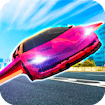







Ultimate Flying Car: race the road, then take to the sky
Ultimate Flying Car mixes two kinds of driving in one browser game. The vehicle can move through high-speed road races and then transition into flight, creating a route that asks for more than ordinary cornering. The published description also highlights free-roam driving, a selection of stylish cars, and two-player split-screen action. That combination gives the title a broad appeal: one player can explore the driving environment, while two friends can compete side by side and learn how the road and sky sections change the rhythm.
The game is listed as a Unity WebGL title with a landscape layout, a September 4, 2022 release date, and a community rating of 8.8. A wide screen is useful here because both the road and the split-screen view need room. The important first step is to understand whether you want a race, a free-roam drive, or a two-player session. Each mode creates a different objective, and choosing deliberately makes the opening feel less crowded than trying every vehicle and button at once.
Choose the kind of session first
Racing is the most direct way to learn the vehicle. Follow the route, watch the boundaries, and notice how the car behaves when speed is carried into a turn. Free roam offers a less pressured alternative: use it to explore the environment, test the transition between road and air, and become familiar with the vehicle before competing. In two-player mode, the screen becomes a comparison tool. A friend can test a different line or vehicle while you observe how each choice affects acceleration, steering, and the approach to a jump.
The confirmed keyboard layout assigns Player 1 to W, A, S, and D. Player 2 uses the Arrow Keys. NOS boost is activated with Shift for one player or M for the other. Keep the boost for a section where the extra speed has a clear purpose, such as a straight road or an aerial approach. Using it immediately may make the vehicle harder to place before a turn. First learn the normal handling, then add the boost as a deliberate change rather than as a reflex.
Reset or restart controls can vary with the current screen, so use the live frame’s visible prompt when you need to return a vehicle to a useful position. The essential driving inputs are the ones listed above. Keep the first test simple: accelerate, steer through a safe section, and observe the result before experimenting with flight. This makes it easier to distinguish a handling issue from a route that is simply unfamiliar.
Manage the road-to-air transition
The distinctive feature of Ultimate Flying Car is not merely that the cars look futuristic. It is the change in decision-making when the vehicle leaves the ground. On the road, the player mainly judges direction, cornering, and the amount of speed carried into the next section. In the air, the player must also think about altitude, landing angle, and the space available after the jump. Approach the transition with a plan. A perfectly fast road entry is not useful if it sends the car toward an awkward landing.
Free roam is especially valuable for practising this change. Drive through a section without chasing a record, then repeat it while watching where the vehicle begins to rise. Try a smaller correction before the landing rather than waiting until the car is already off line. If the environment offers several paths, compare the safe line with the most dramatic one. The game supports exploration, so learning the geometry can be as satisfying as winning a race.
Vehicle choice can also change the feel of a session. A stylish car may invite a player to drive faster, but the best choice for practice is the one whose response is easiest to read. In a split-screen race, select different vehicles and compare the result over the same section. Notice whether the difference comes from acceleration, turning, or the way the car behaves when airborne. Observing one variable at a time keeps the competition friendly and informative.
Make two-player play enjoyable
Split-screen racing works best when both players understand the control layout before the start. Player 1 should keep W, A, S, and D available, while Player 2 uses the Arrow Keys. Reserve Shift and M for moments where a boost helps the route rather than simply making the screen chaotic. A short practice lap can prevent confusion about which player controls which vehicle and gives both people a chance to learn the first turn.
Competition does not require constant risk. In a race, a clean landing can be more valuable than a spectacular shortcut that ends in a reset. Use the road to build a stable lead and the sky section to protect the landing. If another player passes, watch the line they used and decide whether it is repeatable before copying it. This turns multiplayer into a source of useful information instead of a sequence of hurried reactions.
Ultimate Flying Car brings racing, flight, exploration, and split-screen play together in a way that rewards curiosity. Start with the controls, learn one road section, and then practise the transition into the air. Use NOS with a reason, choose free roam when you want to explore, and switch to two-player when you are ready to compare routes. The title is at its best when speed is supported by control: the fastest line is the one that still leaves the vehicle ready for the next landing.
Practical notes for a return visit
Returning players can set different targets for the same environment. One visit can focus on a clean road lap, another on finding a comfortable aerial line, and another on a split-screen race with a friend. These goals keep the game varied without requiring a completely new system each time. The vehicle remains familiar while the player changes the way the route is read.
Use NOS as a resource of timing. A boost on a straight may create a genuine advantage, whereas a boost before a narrow turn can make the next correction harder. In two-player mode, agree on a short practice section and compare the result rather than relying only on the final winner. A useful observation might be that one player enters the flight phase with more speed but lands less cleanly. That detail can guide the next attempt.
The road and skyways give Ultimate Flying Car a clear reason to revisit. Driving teaches control of speed and direction; flight adds a second layer of spacing and landing judgement. With W, A, S, D or the Arrow Keys, players can move from a cautious test to a competitive race. Keep the screen readable, use the boost carefully, and let each transition show you what the car can do.
More Featured Games
Browse the Featured Games collection or continue with Robo-Butcher and Perimeter – Legate Edition.
Frequently Asked Questions
What is Ultimate Flying Car about?
Ultimate Flying Car mixes two kinds of driving in one browser game. The vehicle can move through high-speed road races and then transition into flight, creating a route that asks for more than ordinary cornering. The game frame above contains the current playable version and may change when the provider updates it.
How do you control Ultimate Flying Car?
Ultimate Flying Car mixes two kinds of driving in one browser game. The vehicle can move through high-speed road races and then transition into flight, creating a route that asks for more than ordinary cornering. Use the inputs shown by the live game, because controls can vary by device and provider version.
Does Ultimate Flying Car work on mobile?
If the current provider build exposes touch support, it can be tried in a mobile browser. Otherwise use a desktop browser and the controls shown by the frame; performance and orientation can vary by device.