

 Loading...



About BattleBox
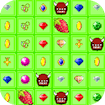
BattleBox reveals a grid of treasures, strawberries and monsters for a short time, then covers the cells. Your job is to remember enough positions to uncover every treasure without using up your health. It resembles a minesweeper puzzle, but the opening glimpse makes memory part of the challenge.
Before the boxes close
Do not try to memorise every cell as one long list. First mark the monster positions in your mind—those are the costly mistakes. Then group the treasures by row or corner. Strawberries can restore a lost health point, but they do not replace the goal of finding all the treasure.
How to open one cell
Use the mouse to choose a row icon and a column icon; their intersection is the box you open. Health is shown as three strawberries. A monster costs one, and losing all three means retrying the level. A treasure adds to your progress, and you move on after collecting them all.
If you remember that a monster was somewhere in a corner but not its exact cell, open a safer part of the board first. Use the revealed information and remaining health to make the next decision. The current provider also describes an optional ad reward that briefly reveals the boxes; it is not required to understand the core puzzle.
A memory trick that fits the board
Say the dangerous cells as coordinates—“top row, second column”—rather than only remembering the picture. That wording maps directly to the row-and-column controls. For another recall game with no hidden monsters, try Kobadoo Shapes.
BattleBox FAQ
How do I choose a cell?
Use the row and column controls shown by the game; their intersection opens one box. Remember monster positions before the grid closes and spend health carefully.
Can I recover health?
Strawberries restore a health point, but they do not remove the need to remember safe cells.
What if the provider frame looks different?
Follow the current row and column prompts in the embed. The optional reveal reward is provider-controlled and is not required for the core puzzle.