
 Loading...





About myDream Universe
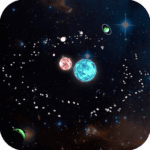
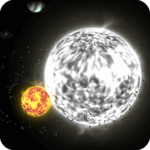
myDream Universe opens a small space arcade session inside this page. After the GamePix launch screen, the game shows a title prompt and a menu with Load, Planet, Orbit, Start, GP and Options. Choose Start to enter the field. In the desktop preview, the opening scene showed a rocky body, scattered asteroids and other space objects against a starfield.
What is myDream Universe?
The opening instructions present a simple aim: hit asteroids and grow, while protecting yourself and avoiding planets. That makes myDream Universe a different sort of space game from Solar Smash. This page’s player is about steering a small body through an asteroid field; it is not the Solar Smash planet-destruction game or a copy of its controls.
The game’s own interface is the guide here. It presents a Speed reading near the top and HP, Earned GP and Mass indicators near the bottom. In today’s desktop preview, after choosing Start, the opening prompt read “Hit to asteroids and grow yourself.” A click towards a visible object changed the Speed reading from 0 to 1108, followed by a visible on-screen effect. This short interaction did not confirm a change in HP, Mass or Earned GP, so this guide does not promise a particular score or growth rate.
How to start a session
- Wait for the embedded GamePix player to finish its loading screens. The title prompt appeared after loading in the preview.
- Press the game screen to continue, then choose Start from the visible menu. The menu also showed Load, Planet, Orbit, GP and Options; their functions were not tested here.
- Read the short prompts as they appear. The opening advice calls out asteroids as the way to grow and warns against planets.
Three careful starter tips
Pick a visible target
In the desktop preview, a click towards an object changed the Speed reading and the body moved across the field. Use the indicator to see that movement is happening, rather than assuming the game is still on its title screen.
Follow the asteroid prompt
After selecting Start, the game displayed the instruction “Hit to asteroids and grow yourself.” Treat that as the opening objective; this short check did not establish how each object affects progress.
Heed the planet warning
The game also displays a warning not to hit planets. Give larger, planet-like objects room while learning how the field responds. The preview check did not test every collision or later stage.
What this guide has and has not verified
The embedded player loaded and accepted a basic desktop input in the WordPress preview. The visible HUD and opening prompts were readable, and the active scene continued to respond after the first click. This is enough to confirm that the page’s existing player starts, rather than merely returning an HTTP response or stopping at a loader.
The check covered only the opening session on desktop. It did not test touch controls, mobile layout, later evolution stages, the functions of Load, Planet, Orbit, GP or Options, or whether progress persists between visits. If the player remains on a loading screen, wait for the launch sequence to finish before deciding that the game has failed to start.
Explore more space games
For more browser games built around space, physics and sandbox play, browse the Space, Physics and Sandbox Games collection. For a more direct planet-targeting challenge, try Planet Buster. The embedded game is served through GamePix. myDream Universe has its own title and gameplay; it should not be confused with the game on the Solar Smash homepage.
myDream Universe FAQ
Does myDream Universe start in the browser?
Yes. In the WordPress preview, the GamePix launch flow reached the title prompt, menu and an active desktop session.
What should I do first?
Choose Start, follow the displayed prompt to hit asteroids and grow, and heed the warning about planets. The brief preview did not establish every collision outcome.
Were mobile controls tested?
No. This check covered desktop input only, so mobile and touch behaviour remain unverified.
Solar-Smash.io is an independent fan site. Game names and trademarks belong to their respective owners.
Mouse to steer on desktop. Follow the opening prompts: hit asteroids to grow and avoid planets. Touch controls and collision rules beyond those prompts have not been independently tested.