

 Loading...






About In Space
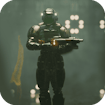
In Space is a top-down survival shooter, not a planet simulator. In the browser version we opened on 4 October 2026, the GamePix frame first showed an “Ok, Play Now!” screen. After that came the game's own title menu with New Game, Shop and Options. Starting a run put an armoured character in a metal-floored arena with cover blocks and insect-like enemies. If you only see the provider's first screen, you have not yet reached the game menu.
How to start a run
- Wait for the embedded player to load and make any privacy choice shown by its provider. The provider screen is separate from Solar-Smash.io.
- Press Ok, Play Now!, then choose New Game on the In Space title menu.
- Click inside the game frame so it receives input. Check the game's Options screen for the controls supplied by this build before relying on a key guide from another version.
- Watch the top edge of the arena: it shows an Energy bar, level, timer and several progress icons. In our short test, the timer began near ten minutes and the energy bar fell when enemies reached the player.
What to do in the first minute
The arena has square obstacles rather than an open, empty floor. Use them as landmarks, but do not let one trap you against the edge. At the start, pick a route that keeps two exits available. If an enemy approaches from one side, move toward the open lane before trying to hold your ground and clear every target. The red aiming line makes it easier to see where the weapon points; keep the nearest threat on that line while you move.
In our test, the first insects reached the character quickly. Waiting in one spot made the energy bar shrink. A useful first goal is therefore simple: stay mobile long enough to learn the movement and aim, then think about upgrades. This is more helpful than chasing a high score on the first attempt.
Read the screen, not an old control list
The Energy meter is the immediate survival signal. The timer tells you how long the run has lasted or how much time remains in the current challenge. The icons along the top are part of the game's progression interface, while the red gem count sits at the far right. Do not confuse those with Solar-Smash.io's rating stars above the frame; the stars rate the page's game and do not affect play.
If a click seems ineffective, make sure the game frame has focus and that you are past both the GamePix entry screen and the In Space title menu. If the frame stays black, refresh once. Because the build is embedded from GamePix, loading and privacy prompts are controlled by that provider, not by this site's article.
Is it like Solar Smash?
Only in its science-fiction setting. Solar Smash is an open-ended planet-destruction sandbox; In Space asks you to survive in an arena while threats close in. If you want to construct and test a world instead of steering a soldier, try Fletearth. If you want a different space-themed puzzle, Drop Planets is about positioning and merging objects, not combat. These links lead to different games with their own controls and providers.
Editorial note: This guide describes a short desktop play check of the embedded build on 4 October 2026. We did not verify mobile controls, later waves, every upgrade or a campaign ending, so this page does not promise features we have not seen.
296 container 297 container wp-word-count 298 textIn Space FAQ
What is the first objective? Start a New Game, stay mobile in the arena, and keep enemies from draining the Energy bar while you learn the layout.
Which controls should I use? This build exposes its controls through the game’s Options screen. Check that screen after loading rather than assuming a key map from another version.
How should I use the cover blocks? Treat them as landmarks and short-term protection, but keep two escape routes open. Moving into a corner can leave you with no safe lane when insects close in.
Why does the game seem stuck on a provider screen? GamePix may show an “Ok, Play Now!” step before the In Space menu. Complete that provider screen, choose New Game, then click inside the frame so it receives input.