

 Loading...


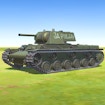



War of Tanks 3D is a browser action game about reading the battlefield, aiming carefully, and choosing your next move with purpose. The focus is not only on firing quickly: the terrain, the target position, and the controls visible in the current player all shape the way a round unfolds.
What to expect in War of Tanks 3D
This game places you in tank battles where precision and positioning matter. The player description points to dynamic terrain, cannon aim, and tactical movement. That makes War of Tanks 3D a good choice if you like short action sessions with a little more planning than a reflex-only game. A clear shot can feel more useful than a hurried attempt, especially when the scene gives you space to observe before acting.
Start with the live controls
Load the game above, wait for the player to finish opening, and check the instructions shown in that version. Browser game controls and layouts can change, so the labels inside the player are the reliable guide. Take a moment to identify where your tank is, what the goal looks like, and which visible elements affect movement or aim.
- Look before moving: scan the terrain and locate the clearest route or target.
- Make deliberate adjustments: change one part of your aim or position at a time, then see what changes.
- Use each attempt as information: if a plan does not work, notice whether timing, direction, or the terrain caused the result.
Read the field before acting
Before beginning a new attempt, take a short inventory of the scene. Where is the clearest line of sight? Which parts of the terrain could limit a move? Is the immediate target easy to reach from the position shown, or would waiting for a better angle make more sense? You do not need to predict everything. The value of the pause is that it turns an automatic reaction into a choice based on the real battlefield.
When the player offers several visible actions, choose one and watch the result before combining it with another. This makes it easier to tell whether the aim, the route, or the timing was the main reason an attempt changed. A few focused tests teach more than repeating the same input at a faster pace.
Build a simple battle plan
A useful plan has three parts: a priority, an observation point, and a next adjustment. Your priority might be reaching a clear angle or responding to a target that is already visible. Your observation point could be the terrain between your tank and the target. Your next adjustment is the one small change you will try if the first action is not effective. Keeping the plan this simple prevents the scene from becoming overwhelming.
Positioning is part of the puzzle. When the environment creates an obstacle, consider whether a small change of place gives you a clearer view instead of trying to force the same approach. If the live player makes a new option available, read its label first. The current interface is the source of truth; there is no need to rely on old control lists or assumed modes.
Precision rather than haste
It is tempting to treat every tank game as a speed test, but War of Tanks 3D rewards attention to what is visible now. A deliberate aim gives you information even when it is not perfect. Notice where the result lands, how the terrain affected the attempt, and what new path becomes possible. On the next attempt, adjust only one factor. That process creates a clear learning loop and makes short play sessions more satisfying.
If an attempt does not go as expected, avoid deciding that the entire strategy failed. Ask a narrower question: was the route unclear, was the target difficult to read, or did you act before the scene was ready? An answer to one of these questions is enough to improve the next decision.
Browser play notes
There is no need to install anything to play from this page. If the player does not load normally, refresh once, use a current browser, and temporarily disable an extension that blocks embedded content. Avoid downloads or browser extensions that promise game advantages; use only the embedded player shown here. On a smaller screen, follow the controls and labels that the current version displays.
Find more action games
War of Tanks 3D belongs to the site’s Action Games and Hot Games sections. For another style of browser play, visit the full game collection. Start with the terrain in front of you, make one considered choice, and build your next attempt from what you observe.
Keep the next decision simple
When a battlefield looks complex, reduce the problem to one practical choice. Pick the clearest line of sight, the safest visible position, or the action that reveals more information. After it plays out, reassess the terrain before doing anything else. This prevents a short round from becoming a series of guesses and gives you a more useful reason for every adjustment.
As you become familiar with the current version, you may notice recurring moments where patience helps: a difficult angle, a route with limited room, or a target that looks easy but is not yet clear. Use those moments as cues to observe rather than rush. A deliberate response keeps the action enjoyable and turns every attempt into evidence for the next plan.
Frequently Asked Questions
What is War of Tanks 3D about?
War of Tanks 3D is a browser action game about reading the battlefield, aiming carefully, and choosing your next move with purpose. The game frame above contains the current playable version and may change when the provider updates it.
How do you control War of Tanks 3D?
War of Tanks 3D is a browser action game about reading the battlefield, aiming carefully, and choosing your next move with purpose. Use the inputs shown by the live game, because controls can vary by device and provider version.
Does War of Tanks 3D work on mobile?
If the current provider build exposes touch support, it can be tried in a mobile browser. Otherwise use a desktop browser and the controls shown by the frame; performance and orientation can vary by device.