

 Loading...




About Samurai Brawling
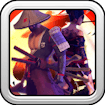
Samurai Brawling puts you in control of Arashin in a close-range fighting game. Your first task is simple: get through the opening opponent without emptying your own health bar. The fight moves quickly, so learning when an attack connects is more useful than pressing every key at once.
Start with the controls
Use the arrow keys to move Arashin and Space to attack. The game provider also mentions combined keys for stronger moves, but does not give a reliable combination list. Begin with movement and one basic strike; check the prompts in the player before trying an unfamiliar input. On a phone, follow the controls shown inside the game rather than expecting a physical keyboard.
A practical first-fight routine
- Watch the opponent's approach and move just far enough to face them.
- Attack once at close range. Notice whether the strike lands or falls short.
- After the hit, check both health bars before committing to another attack.
- If you are taking damage while attacking, create space and try a later strike instead of repeating the same timing.
The health bars are a better guide than the animation alone: a dramatic-looking move is not useful if the opponent's bar does not change. If you lose, use the restart to test one adjustment—your distance, your timing or your direction—so the next attempt tells you something new.
When the fight gets crowded
Try to keep threats on one side of Arashin. Moving straight into a group leaves little room to react; stepping back can give you a clearer line to the nearest opponent. The provider also lists power-ups during progression. Collect one when the path is open, but do not cross an active attack just to reach it.
Quick answers
Which key attacks?
Space is the basic attack listed for this version. The game may show additional actions on its own opening screen.
Why did my attack miss?
Check the distance and facing direction before trying again. Move a little closer, then make one deliberate strike and look at the health bar to confirm it connected.
For a different combat setup, try War the Knights; it begins with a side and equipment choice. You can also browse the .
Starting the embedded game
The GamePix player first shows an Ok, Play Now! screen. Click it once to load the game canvas; the controls may not appear until that provider screen has been dismissed. If the frame still looks empty, wait for the canvas to finish loading and click inside the game before trying the arrow keys or Space.