

 Loading...
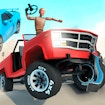




About Car Crash Test
Car Crash Test: treat each virtual collision as an experiment
This is an arcade crash-test game, not a driving lesson. Its appeal is watching a vehicle meet a course or obstacle and seeing how the scene reacts. A useful run begins with a question: what changes if I approach from another angle, choose a different vehicle, or alter one part of the route? Without a question, the collisions can blur together.
Start by reading the controls shown in the current player. Choose a car and look at the course before accelerating. Give yourself a baseline attempt: keep the approach straightforward and watch where the first important impact occurs. On the next attempt, change one thing only. This is more informative than simultaneously changing vehicle, speed and direction.
What to compare between attempts
| Observe | Question to ask |
|---|---|
| Approach | Did the vehicle reach the obstacle on the line you intended? |
| Contact | Which part of the car or environment met first? |
| Aftermath | How did the game show the consequence of that contact? |
The table is a way to pay attention, not a promise of realistic physics. The game is a virtual spectacle. Compare what the game actually shows, and avoid assuming that it models a real crash accurately. If a run produces an unexpected result, repeat the same setup once before drawing a conclusion; a missed approach may explain more than the obstacle itself.
Car Crash Test is best enjoyed with curiosity and a controlled set of changes. If you would rather drive to survive an arena than inspect a collision, Demolition Derby Life offers a different vehicle challenge. Here, the fun is in observing what changed after your choice.
Car Crash Test FAQ
How do I start a test?
Click the player’s start button, let the GamePix loading screen finish, then choose a vehicle and read the controls shown in the current game frame before driving toward an obstacle.
Which controls should I use?
Use only the controls displayed by the embedded player. The available input can vary by build, so this guide does not assign keyboard keys that the current frame has not confirmed.
Is the result realistic?
No. Treat each impact as an arcade-game result rather than a safety or engineering lesson. Repeat the same approach once, then change one variable so you can tell what actually affected the scene.