

 Loading...


About Sudoku Puzzle Master
Sudoku Puzzle Master gives you room to think
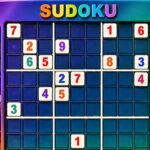
A 9-by-9 Sudoku board can look busy, but each placement has a small test: does this digit already appear in the row, the column or the surrounding 3-by-3 box? Sudoku Puzzle Master puts a number row and the tools Undo, Erase, Notes and Hints beside the grid, so uncertainty does not need to become a guess.
Start where the board is nearly solved
Scan for a row or box with only a few empty cells. Pick one blank space and eliminate digits already present in its row, column and box. If one candidate remains, select that cell and enter the number. Then inspect neighbouring spaces again; one confirmed digit can create a second deduction. Working locally is less overwhelming than staring at all 81 cells at once.
When two candidates remain, use Notes to record them. A note is a possibility, not a final answer. Return to it after another digit has been placed nearby. This habit keeps the board honest: you can explore a line of reasoning without pretending it is already proven.
Use help to learn the reason
Undo can reverse an accidental entry; Erase clears a value that no longer fits. Hints are most useful when you study the row, column and box around the suggested move. Ask why that digit was available there. A hint that teaches a deduction helps on the next puzzle; a hint used only to fill a square does less.
The satisfaction of Sudoku is watching uncertainty shrink. Check the three constraints, record possibilities, and commit only when the logic supports the number. For another quiet puzzle with a very different visual task, Hidden Aquatic asks you to fit sea creatures into a scene.
Sudoku rewards logical thinking, not guessing. Begin with the rows, columns and boxes that already have the most numbers filled in, and look for cells where only one digit can fit. Write down possibilities mentally and eliminate them one by one. If you feel stuck, switch to another part of the grid; progress there often unlocks the area you were stuck on.
Tap Click a cell ndash Select a grid space Tap Click a number 1 ndash 9 ndash Fill the selected cell Pencil Notes mode ndash Add possible numbers Erase button ndash Remove a number Hint button ndash Get help with a move