

 Loading...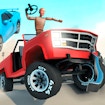







Car Crash Test is a fictional browser driving game focused on watching how a vehicle and obstacle course react inside the game. It is designed as a virtual crash-test experience, not as a guide to real driving. The most useful way to play is to use the controls shown in the current player, observe the track, and see how a careful change to a run affects the result. Every attempt is a small experiment: select an approach, watch what the simulation shows, then decide what is worth testing next.
What makes Car Crash Test different?
Instead of racing only for a finish line, this game puts the emphasis on the scene itself: the car, the route, the barriers, and the on-screen reaction to an attempt. The game description mentions 3D visuals, vehicle choices, and tracks, which makes it well suited to players who enjoy comparing virtual setups rather than simply repeating one route as fast as possible.
That change of focus is important. A good run is not necessarily the loudest or fastest one. It is the run that gives you a clear answer to a question you had before starting. What happens if you approach an obstacle from another angle? Which part of the course changes the result most? Can you make the next attempt easier to read by changing only one thing? The browser player gives you the answer through the current scene.
Begin with a clear, safe plan
Open the player above and let it load before entering an attempt. Read the prompts inside the live game because a browser build can use a different layout or control scheme over time. On the first run, keep the goal small: understand the route, see where the main obstacles are, and notice what the player lets you change. That gives you a much better reference point for the next try.
- Use the on-screen controls: follow the instructions shown by the player rather than guessing keyboard or touch inputs.
- Read the course first: identify open space, narrow approaches, ramps, barriers, and any area that looks likely to change the run.
- Change one factor at a time: try a different visible route or pace, then compare the outcome.
- Watch the full result: let the scene finish before deciding what to test next.
Turn each run into an experiment
Virtual crash-test games are most satisfying when each run answers a simple question. Start with a baseline attempt, then adjust one visible detail. You might choose another line through the course, approach an obstacle more carefully, or give yourself more time to see the layout before making the next input. The point is not to chase an identical result. It is to notice what changed and why.
When several things change at once, the outcome becomes hard to interpret. If you alter the route, timing, and vehicle choice together, you may not know which decision made the difference. Keeping one part of the setup steady makes the next attempt more useful. This is a simple way to make a short browser session feel more intentional without requiring a long tutorial or any preparation outside the page.
Read the obstacle course
Before an attempt, give the course a quick visual scan. Look for the first barrier rather than trying to understand every detail at once. Then identify the space immediately after it. A clear first target helps you stay focused when the scene becomes busier. If the course includes different surfaces or objects, treat them as information: they may change the line you want to test, the speed you are comfortable with, or the point where you decide to adjust.
It can help to divide the route into small sections. First, get through the opening area cleanly enough to understand it. Next, concentrate on the central obstacle or turn. Finally, review the ending. This approach avoids the common habit of judging an entire run from one dramatic moment. A result that looks chaotic can still teach you exactly where the course became difficult.
Why observation matters more than rushing
Car Crash Test is a fictional game, so the action belongs entirely inside its virtual setting. You do not need real-world driving knowledge to enjoy it, and the game should never be used as advice for driving or vehicle safety. The interesting part is observing a digital scene and learning how the current game responds to choices made in that scene.
Taking a few seconds to observe gives the session more structure than repeating the same move quickly. If a run ends sooner than expected, think about the last clear decision before that moment. Were you following a route you had actually read? Did you change more than one thing at once? Did an obstacle become visible too late? A single answer can make the next attempt more interesting.
A practical routine for short sessions
If you have only a few minutes, use the first attempt to collect information. Do not worry about an ideal result. On the second run, pick one adjustment that comes directly from what you observed. On the third, decide whether that adjustment made the course clearer or simply created a new problem. This three-step rhythm—observe, test, compare—works well because it turns a casual session into a small, understandable challenge.
For a longer session, keep your goals modest. Choose one part of the course you want to understand rather than trying to master everything at once. When you reach that part, slow down your attention and make a deliberate choice. Progress is easier to recognise when you define it as better information and cleaner decisions, not only as one perfect final run.
Use the browser player safely
Car Crash Test is available in the embedded browser player on this page. If it does not load as expected, refresh once, use a current browser, and temporarily disable an extension that blocks embedded content for this site. Check the visible instructions before assuming a fixed control scheme. There is no need to download a program or install a browser add-on to play.
For a smoother session, leave enough space for the game area and avoid running several demanding tabs at the same time. If performance appears inconsistent, refreshing the page is a sensible first step. Avoid files or extensions that claim to unlock extra content, add shortcuts, or improve browser games; they are not needed for the player on this page.
Explore more browser action games
For another quick virtual challenge, browse Action Games or the Hot Games section. You can also explore the complete game collection. Start by reading the course in front of you, run one test, and use what you see to make the next attempt more interesting.
Frequently Asked Questions
What is Car Crash Test about?
Car Crash Test is a fictional browser driving game focused on watching how a vehicle and obstacle course react inside the game. It is designed as a virtual crash-test experience, not as a guide to real driving. The game frame above contains the current playable version and may change when the provider updates it.
How do you control Car Crash Test?
Car Crash Test is a fictional browser driving game focused on watching how a vehicle and obstacle course react inside the game. It is designed as a virtual crash-test experience, not as a guide to real driving. Use the inputs shown by the live game, because controls can vary by device and provider version.
Does Car Crash Test work on mobile?
If the current provider build exposes touch support, it can be tried in a mobile browser. Otherwise use a desktop browser and the controls shown by the frame; performance and orientation can vary by device.