

 Loading...



About War the Knights
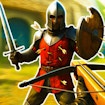
War the Knights is a medieval team-battle game played in a 3D browser arena. In our check of the embedded Unity build, loading led to a choice between two sides, followed by a preparation view with equipment icons and a Battle button. Choosing a side is therefore part of starting a match; the game does not begin with an immediate sword swing.
Get into a battle
- Allow the Unity player to load fully. A large game may take longer than a small puzzle embed.
- Choose one of the two sides shown on the opening battlefield view.
- Look over the equipment bar before pressing Battle. Decide whether to begin with a close-range weapon, a ranged option or protection.
- Once in the match, stay near an ally long enough to learn where opponents are approaching before sprinting into open ground.
The provider lists swords, bows, spears, crossbows, spells, explosives, javelins, clubs, medkits and shields. Availability can depend on the current match or loadout, so check the icons on your screen rather than assuming every item is already in hand.
Desktop controls
The published control list for this build is: WASD to move, Shift to sprint, Space to jump and Z to crouch. Use E to pick up or interact. The left mouse button attacks; the right mouse button blocks or aims, depending on the equipped item. The middle mouse button uses a thrown weapon. Keys 1–2 select primary weapons and 3–4 select gadgets. F kicks, R gives a battle cry and Esc opens the menu.
Start by mastering movement, one attack and one defensive action. Learning the full key list while several enemies are attacking is harder than testing it at the edge of the fight. A shield changes how you approach a lane; a bow or crossbow changes where you want to stand. Switch because the distance or position changed, not just because another icon is available.
One useful battle habit
Watch the ground between your team and the objective. If you are alone in an open lane, sprinting farther usually makes retreat harder. Use cover to close distance, then look for a teammate already engaging the same opponent. This gives you room to try a block or aim without learning under the pressure of several attacks at once.
Quick questions
Why does the game show two sides first?
The current build asks you to choose a side before battle preparation. Select one, review the available equipment and then use the Battle button.
Can I use ranged weapons?
Yes. The provider lists bows, crossbows and javelins among the available equipment.
Does it need a download?
No separate installation is required on this page, but the embedded Unity game needs time and a browser capable of running WebGL.
For other combat games, browse the section. The full catalogue also includes lighter games if this build loads slowly on your device.